How it works
Six steps, one sitting, no marketing degree
This is the whole journey, shown on a demo account of a fictional bakery. Every screen is the real product.
01 · The brief
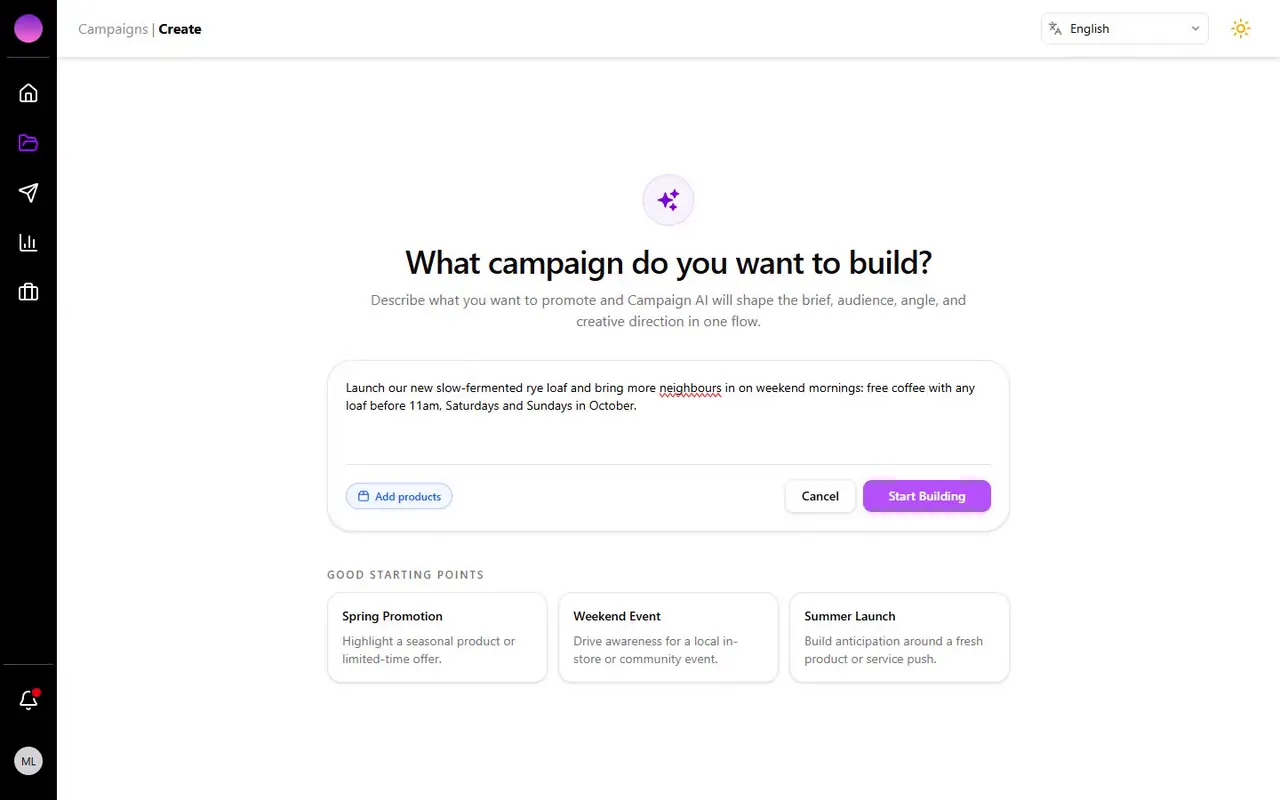
Say it the way you'd say it to a friend
No forms, no marketing jargon. Describe what you want to promote — a new product, an offer, an event — and attach products or photos if you have them.
What you do
- Describe what you want to promote in a sentence or two
- Optionally attach products from your catalogue and photos
What adRobin does
- Understands the offer, the moment and the audience
- Proposes three campaign directions to choose from
02 · The direction
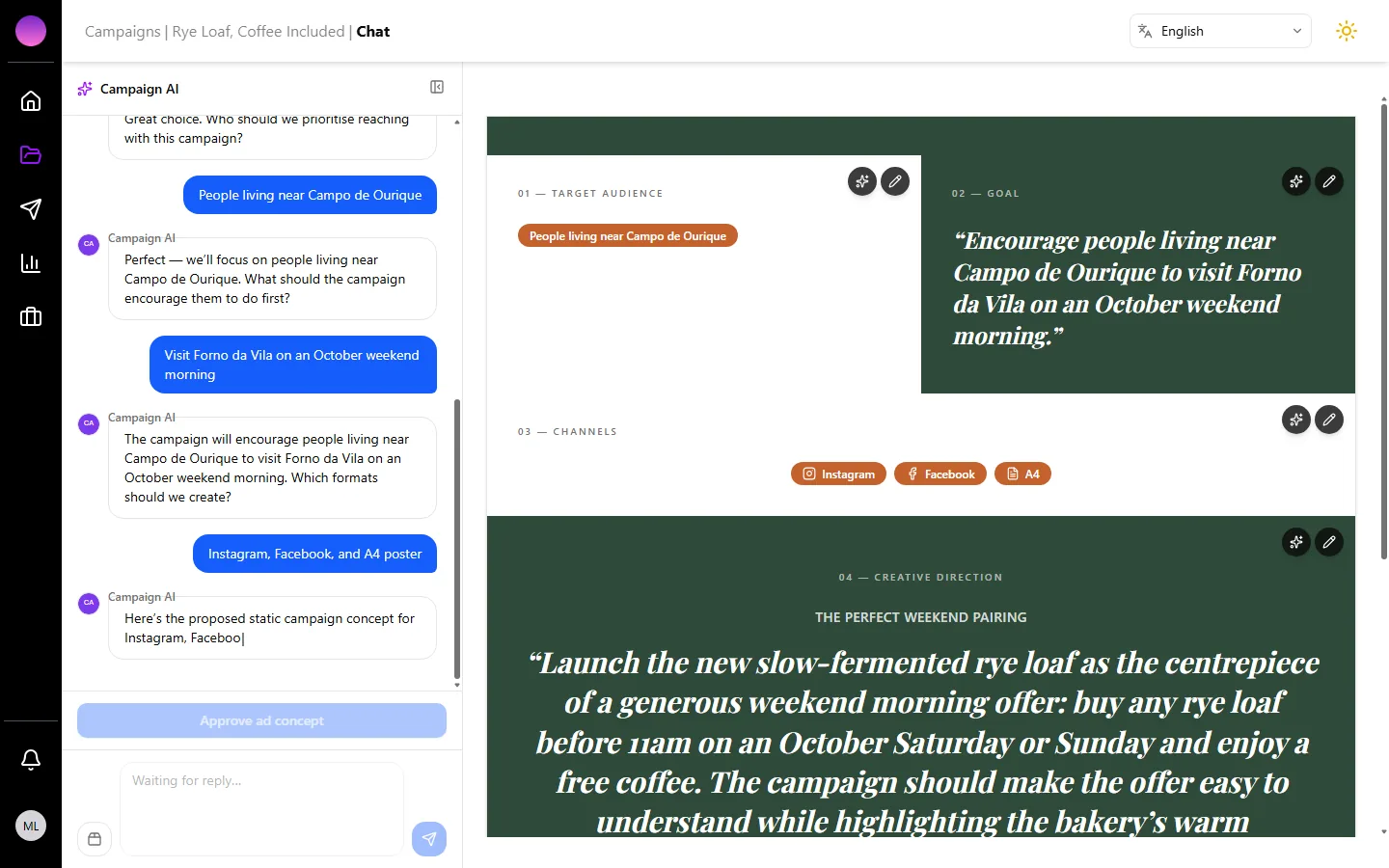
Robin proposes, you choose
In seconds you get three campaign directions grounded in your business, your audience and your goal. Pick one, tweak it or ask for others. A few quick questions later, the strategy is set: audience, goal, channels and creative direction.
What you do
- Pick a direction, or ask for different ones
- Answer a few quick questions with suggested replies
What adRobin does
- Sets audience, goal, channels and creative direction
- Recommends when to post on each channel
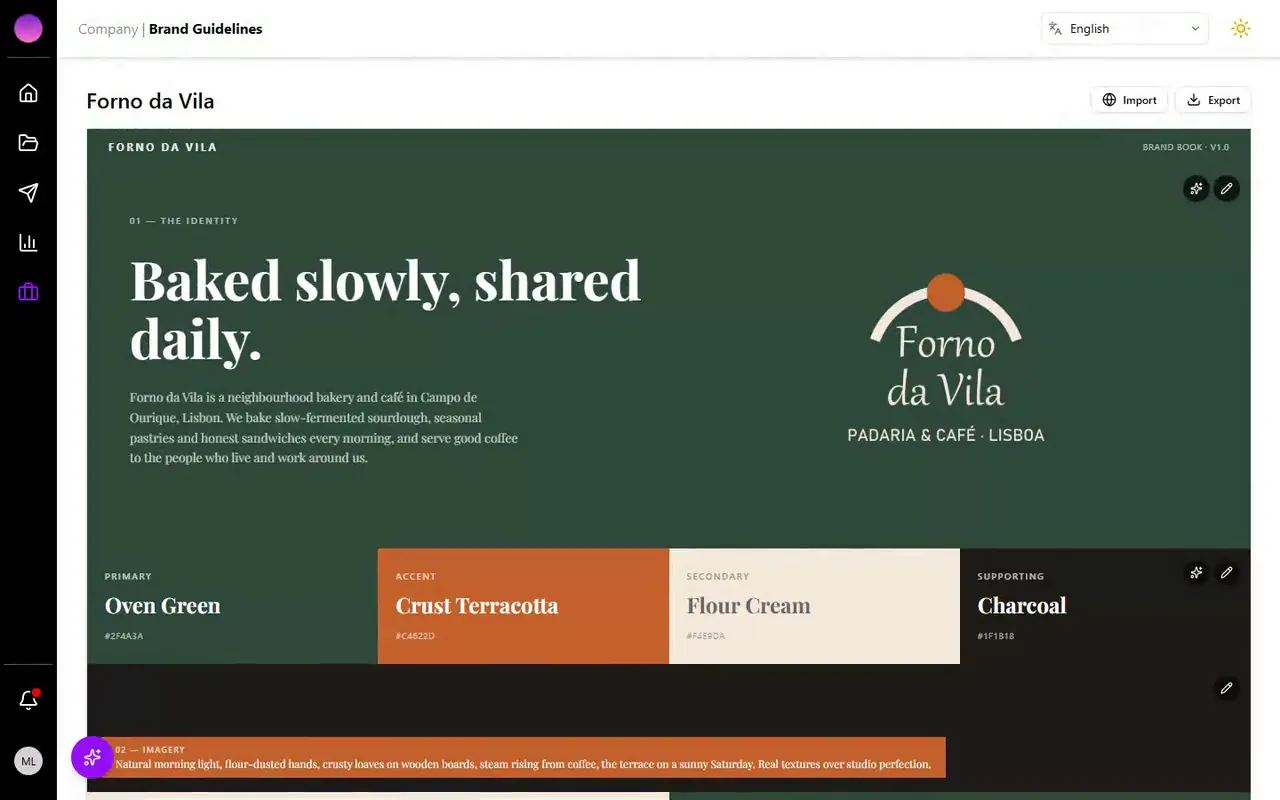
03 · Your brand
Everything comes out looking like you
Import your brand from your website once — colours, fonts, logo and voice. Every creative respects it automatically, so nothing looks like a template.
What you do
- Paste your website once, or upload your logo and pick colours
- Edit anything by hand or with Robin
What adRobin does
- Extracts colours, fonts, logo, imagery and tone of voice
- Applies the brand book to every creative automatically
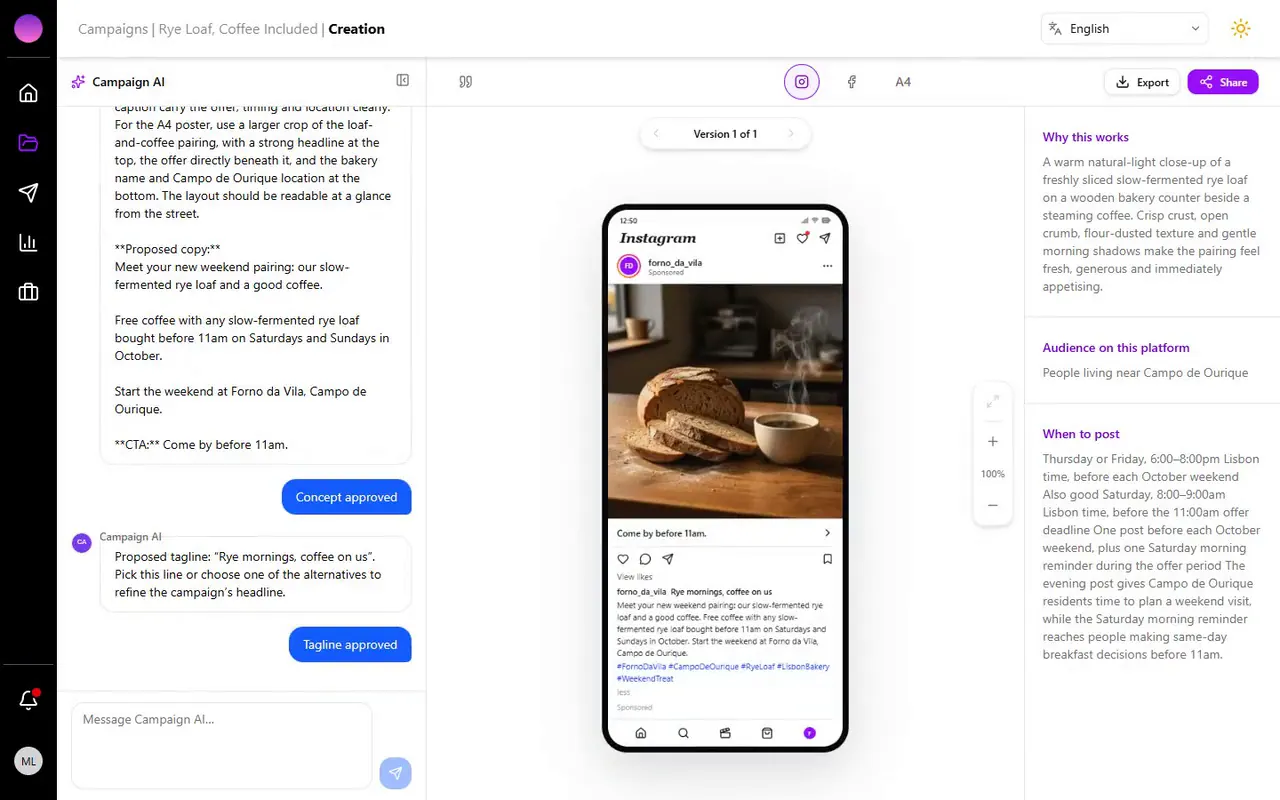
04 · The creatives
Posts, ads and posters, ready for each channel
Approve a tagline and adRobin generates the creative for every channel in parallel — Instagram, Facebook, LinkedIn, A4 and A3 posters — with a preview of exactly how each will look. Ask for changes in plain words, or adjust the layout yourself.
What you do
- Approve the tagline
- Ask for changes in plain words or adjust the layout yourself
What adRobin does
- Generates every channel in parallel: Instagram, Facebook, LinkedIn, A4 and A3
- Checks legibility, contrast and logo size before showing you the result
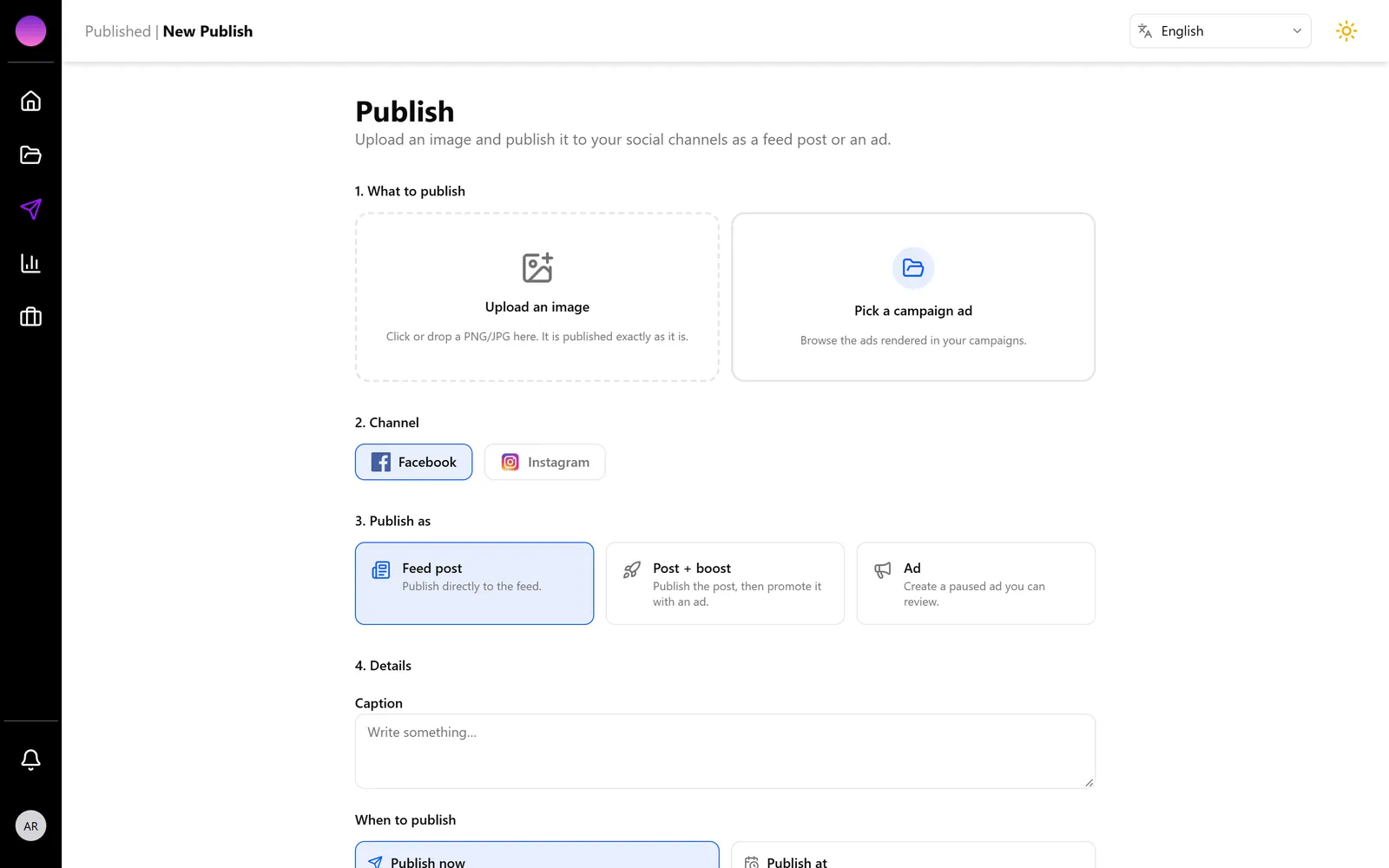
05 · Publish
Post, schedule or boost from the same screen
Publish to your Facebook Page and Instagram account as a feed post, a scheduled post, an ad or a boosted post. Budgets, targeting and the best times to post are pre-filled from the campaign.
What you do
- Choose a channel and a post type: feed post, scheduled post, ad or boosted post
- Confirm the pre-filled budget, audience and time
What adRobin does
- Publishes to your Facebook Page and Instagram account
- Creates ads in your own Meta ad account, paused for your review
06 · Measure
See what worked, and ask why
Views, reach, clicks and spend refresh automatically. Robin reads the numbers for you and answers questions like “which post brought the most people in?”
What you do
- Open the statistics, or ask Robin a question
- Decide what to repeat and what to drop
What adRobin does
- Refreshes views, reach, clicks, spend and follower metrics automatically
- Explains changes and compares campaigns, channels and paid versus organic
Views
12,480
+38%
Reach
7,905
+24%
Link clicks
612
+51%
Engagement rate
6.2%
+1.4
PaidOrganicRobinWhich post brought the most people in last week?The Saturday “Rye mornings” Instagram post: 3,120 views and 41% of the week's link clicks. The boosted Facebook version reached a new audience but converted less — worth keeping organic on Instagram and boosting on Facebook.
Screens and creatives shown come from a demo account of Forno da Vila, a fictional Lisbon bakery. Nothing was retouched.
What you need
- A business and something to promote — a product, an offer, an event, a service
- A website, or a logo and your colours, so the brand book has something to start from
- A Facebook Page or Instagram professional account to publish; a Meta ad account for paid ads
Your next campaign is one sentence away.
Start free, no card needed. Your brand, campaigns and results stay yours.
14 days free · 500 credits · no card needed